Codebase Lowdown
Hyperbolic Gateway — architecture, structure and findings Version 1.4.5 · 22 October 2026
This document explains what the code does, how the parts connect, and what to fix next. It uses short
sentences and simple terms. It is a map, not a tutorial. For install and build steps, see
BUILDING.md. For the tool list, see the README.
1. What this program does
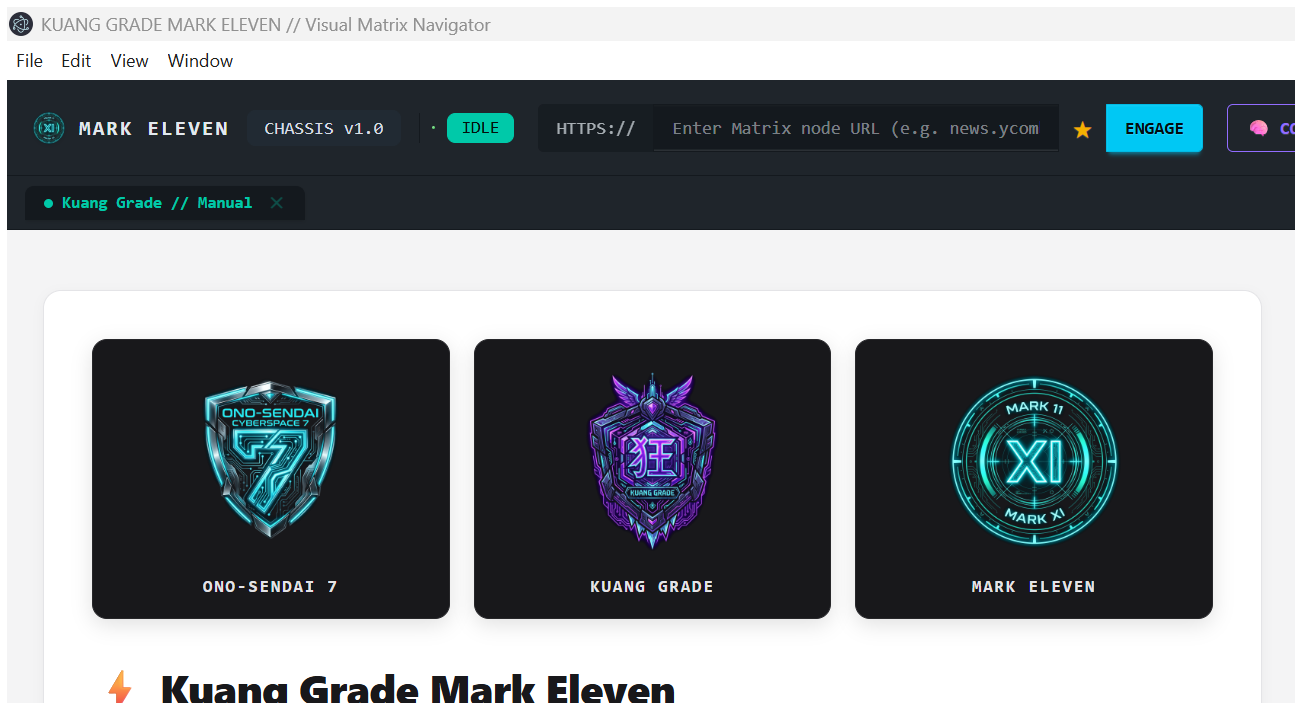
Hyperbolic Gateway is a desktop application. It runs a real Chromium browser on the local machine. An AI agent controls that browser through the Model Context Protocol (MCP).
The agent does not use a remote browser. It does not use a headless browser. The browser is visible, and it keeps cookies, tabs, downloads and memory between sessions.
The program has two processes:
- The Electron app. It owns the window, the browser tabs, the HUD, the database and the local
files. It listens on
http://127.0.0.1:4111. - The MCP server. Each agent client starts its own copy (
bin/mcp-server.cjs). It speaks JSON-RPC overstdin/stdoutand forwards each tool call to the Electron app over HTTP.
The program also has one optional decision path. If a decision model is configured, the agent can call
decide or drive. These tools ask a model for a typed choice. The model never writes text for the
page. The agent supplies text.
2. System map
flowchart LR
  Agent["Agent / MCP client<br/>(OpenCode, Claude, Cursor, ...)"]
  MCP["MCP server<br/>bin/mcp-server.cjs<br/>stdio JSON-RPC"]
  Bridge["HTTP bridge<br/>127.0.0.1:4111"]
  Chassis["BrowserChassis<br/>orchestrator"]
  Tabs["WebContentsView tabs"]
  Prim["Primitives<br/>observe · act · wait_for · extract"]
  Marks["Set-of-Marks overlay"]
  Input["CDP input + Bézier telemetry"]
  Cortex[("LanceDB Cortex")]
  Vaults[("Session / script / download vaults")]
  HUD["HUD renderer<br/>settings · recorder · decisions"]
  Web[("Live web")]

  Agent -->|stdio| MCP
  MCP -->|HTTP| Bridge
  Bridge --> Chassis
  Chassis --> Tabs
  Chassis --> Prim
  Chassis --> Marks
  Chassis --> Input
  Chassis --> Cortex
  Chassis --> Vaults
  Tabs --> Web
  Input --> Tabs
  HUD -. IPC .-> Chassis
The bridge is the only control surface. The MCP server is stateless. All state lives in the Electron app.
3. Process and window model
| Part | Process | Job |
|---|---|---|
src/main/index.ts |
Electron main | Window, IPC, bridge start, updater, recording service |
src/preload/index.ts |
Preload | Safe window.electronAPI surface for the HUD |
src/renderer/main.ts |
HUD renderer | Controls, logs, settings, MCP client snippets |
src/renderer/recording.ts |
HUD renderer | Desktop capture and VP9/WebM encoding |
WebContentsView per tab |
Chromium renderer | The real pages the agent drives |
src/mcp/bridge-server.ts |
Separate Node process | stdio MCP server; forwards to the bridge |
The HUD and the web pages are different renderers. The HUD is not a web page. A tool call cannot reach
window.electronAPI. This separation is deliberate: page JavaScript (evaluate_javascript) must not be
able to change settings or read local files.
4. Call path
sequenceDiagram
  participant A as Agent
  participant M as MCP server
  participant B as HTTP bridge
  participant C as BrowserChassis
  participant P as Page (WebContentsView)

  A->>M: tools/call { name: "act", arguments }
  M->>B: POST /act (JSON)
  B->>C: chassis.act(...)
  C->>P: CDP Input.dispatchMouseEvent
  P-->>C: DOM changes / events
  C-->>B: result object
  B-->>M: JSON response
  M-->>A: text content (+ image block)
Rules that the code depends on:
stdoutcarries JSON-RPC only. Logs go todata/logs/mcp-server.log.stderris a short boot banner by default. A client that does not readstderrmust not be able to block the server. SeeHANDOFF_ORCHA_MCP_STDERR.md.- The bridge binds to
127.0.0.1only. KUANG_BRIDGE_PORTchanges the port.KUANG_BRIDGE_URLpoints the MCP server at it.KUANG_BRIDGE_TIMEOUT_MScaps one bridge round-trip (default 300 000 ms).
5. Directory map
src/
  main/            Electron main process
    index.ts       entry point, window, IPC, service wiring
    browser-chassis.ts   central orchestrator (1 865 lines)
    http-bridge.ts       HTTP routes (1 162 lines)
    primitives/          observe, act, wait_for, extract, ...
    marks/               Set-of-Marks overlay and targeting
    telemetry/           Bézier pointer, typing, fingerprints
    tabs/                multi-tab WebContentsView manager
    cortex/              LanceDB memory and embedder
    harvester/           Readability + Turndown markdown
    shield/              consent/GDPR dismissal
    hil/                 human-in-the-loop requests
    decide/              optional typed decision client + guard
    drive/               observe → decide → act loop
    recording/           timelapse capture service
    downloads/           download routing and parsing
    session/             cookie/storage vaults
    scripts/             script vault
    network/             CDP network + stream capture
    search/ crawl/ research/ prerender/ snapshots/ llm/ updates/ tray/ menu/ utils/
  mcp/             MCP server and tool catalog
    tools-catalog.ts     tool schemas, endpoints, formatters
    bridge-server.ts     stdio server, resources, dispatch
  preload/         contextBridge API
  renderer/        HUD (main.ts) and timelapse encoder (recording.ts)
  shared/          shared types and version

public/            welcome manual, assets, icons
scripts/           build, release, tests, one-off tools
docs/              architecture notes, field notes, this file
bin/               bundled MCP server (unpacked in installers)
All 46 TypeScript files are reachable from four entry points: src/main/index.ts,
src/preload/index.ts, src/renderer/main.ts and src/mcp/bridge-server.ts. There are no unreachable
TypeScript modules.
6. Main subsystems
6.1 BrowserChassis
src/main/browser-chassis.ts is the coordinator. It owns the active tab, the viewport bounds, the
primitives object, the network capture, the harvester, the download manager and the memory writes.
It is the largest file in the project. New code should not make it larger. See finding F4.
6.2 Orthogonal primitives
src/main/primitives/primitives.ts exposes the preferred tool surface:
observe · act · wait_for · expect · find · extract · collect_all · page_state · diff ·
export_har.
The rules are:
- Read with
observe, not screenshots, unless layout matters. - Act with
act(mark_id), a selector, or coordinates. Do not inject JavaScript to click. - Wait with
wait_for, not a fixed sleep. - Assert with
expect; compare withpage_state/diff.
6.3 Set-of-Marks
src/main/marks/marks-overlay.ts adds numbered badges to interactive elements. It traverses open shadow
roots and computes a safe click point. The mark table is cheap text. The image is optional.
6.4 Input and telemetry
src/main/telemetry/input-simulator.ts sends input over CDP. It uses Bézier pointer paths and Gaussian
typing delays. CDP input is focus-independent: the app does not need the OS foreground. The fallback is
webContents.sendInputEvent.
6.5 Memory
src/main/cortex/cortex-db.ts uses LanceDB with a vector column and a BM25 full-text index. A
deterministic 128-dimension embedder keeps the install small. Visited pages, downloads, bookmarks and
research results are indexed.
6.6 Decision layer (optional)
src/main/decide/decision-client.ts calls a hosted TypeSafe model or a local ONNX model. The result is a
typed choice: a component and an operation. decision-guard.ts rejects unknown targets, low confidence
and impossible actions. src/main/drive/driver.ts repeats observe → decide → act until it finishes,
needs a human, or runs out of steps. Age gates and CAPTCHAs are human hand-offs. They are detected before
any model call.
6.7 Recording
The main process owns the file and the config. The HUD renderer owns capture and encoding. Frames are
captured at intervalMs and stamped 1000/fps apart. This is true timelapse. MediaRecorder cannot
retime frames, so the code uses WebCodecs and webm-muxer.
6.8 Bridge and catalog
tools-catalog.ts maps each tool name to a Zod schema, an HTTP route and a formatter. http-bridge.ts
serves those routes. npm run test:mcp:contract parses both files and fails if a tool points at a route
that does not exist. Keep this test green.
7. Findings
Orphans and dead weight
| ID | Finding | Evidence | Recommendation |
|---|---|---|---|
| F1 | Many one-off scripts are not wired into package.json. |
About 30 scripts/*.js files (test-tabs.js, test-shield-breaker.js, browse-reddit.js, ...) are not referenced by any npm script. Some use the old scripts/mcp-server.js path. |
Move them to scripts/archive/, or delete them. Keep only maintained .mjs suites. |
| F2 | The MCP bundle exists twice. | bin/mcp-server.cjs and scripts/mcp-server.js are built from the same entry and are byte-identical. Clients use bin/. Only one legacy test uses scripts/. |
Keep bin/mcp-server.cjs. Delete the second output, or make it a copy only when a legacy test needs it. |
| F3 | Docs counts drift. | src/mcp/README.md still says 59 advertised / 81 registered. The real values are 62 advertised (+2 optional) / 82 registered. The README badges said 1.4.2 / 59 tools. |
Fix the badge (done) and the sub-README. Generate counts from the catalog. |
| F4 | Five files are too large to review safely. | browser-chassis.ts 1 865 lines; tools-catalog.ts 1 615; renderer/main.ts 1 465; primitives.ts 1 350; http-bridge.ts 1 162. |
Split by domain. Chassis: navigation, tabs, capture, memory. Bridge: one router per tool group. HUD: settings, connect, recorder. |
| F5 | The root contains a corrupt image file. | manual_screenshot.png starts with 75 AB 5A 8A, not a PNG signature, and is gitignored. |
Delete it. Use docs/assets/manual.png. |
Irregularities and risks
| ID | Finding | Impact | Recommendation |
|---|---|---|---|
| R1 | Mutable state is split between ./data/ and app.getPath('userData'). |
data/ is relative to the current working directory. It can be read-only when the app is launched from / (macOS) or a protected folder. Recording config already uses userData. |
Move all mutable state to userData. Keep data/ only for developer runs. |
| R2 | The bridge has no authentication token. | Any local process can drive the browser and read captured data. Binding to 127.0.0.1 limits this to the same machine. |
Add an optional shared token (KUANG_BRIDGE_TOKEN) for shared machines. |
| R3 | CI builds but does not run the offline test suites. | build.yml runs pnpm build only. The contract test is cheap and needs no app. |
Add npm run test:mcp:contract to the workflow. |
| R4 | Most tests need a running app. | The primitives, decide and surface suites drive the live Cyberdeck. They cannot run on a clean runner. | Add a small unit layer for pure functions (tags, config, formatting) and keep live suites for release checks. |
| R5 | webm-muxer is deprecated upstream. |
It still works and is small, but it will not receive fixes. | Swap to Mediabunny in one release. The dependency is isolated to src/renderer/recording.ts. |
| R6 | The window and taskbar icon are not set. | The app shows the default Electron icon in the taskbar and window switcher. | Set icon on BrowserWindow and the tray to public/assets/mark-eleven.png (next release). |
| R7 | Logo assets are heavy and duplicated. | public/assets holds ~5.8 MB of PNG + JPG + SVG copies of the same three marks. The README loads all three PNGs at 30% width. |
Use one optimized format per use. Keep PNG only for installer icons. |
Optimisations, in order of value
- Split the monoliths (F4). This reduces review risk more than any micro-optimisation.
- Move state to
userData(R1). This fixes a class of macOS and packaged-app failures. - Prune scripts and duplicate bundles (F1, F2). Less code to scan, smaller repository.
- Add the contract test to CI (R3). One minute of CI prevents a class of broken tools.
- Trim assets (R7). About 5 MB saved in the repository, and a faster README.
- Enable
noUnusedLocals/noUnusedParameters. The currenttsconfigdisables both. Turn them on file by file, or fix the existing warnings first. - Lazy-load heavy dependencies.
@huggingface/transformersand the ONNX runtime dominate install size. Load them only when the local decision model or embedder is used.
8. Walkthrough: search a flight on an airline site
This example shows the normal tool order. The site is generic. Selectors are illustrative. Always prefer
a mark ID from observe or find over a guessed CSS selector.
Goal: find one-way economy flights from London to New York on 14 November 2026, and return the cheapest three.
// 1. Confirm the bridge and the active tab.
{ "tool": "bridge_health" }

// 2. Open the airline. Consent banners are dismissed automatically by default.
{ "tool": "navigate_to", "arguments": { "url": "https://www.example-airline.com" } }

// 3. Read the page as compact markdown. Look for the "Book a flight" entry point.
{ "tool": "observe", "arguments": { "as": "markdown" } }

// 4. Find the link by role and name. This returns a mark ID.
{ "tool": "find", "arguments": { "role": "link", "name": "Book a flight" } }

// 5. Click the mark. `act` reports what changed: URL, revision, marks.
{ "tool": "act", "arguments": { "mark_id": 4, "action": "click" } }

// 6. Wait for the booking form, not for a fixed number of seconds.
{ "tool": "wait_for", "arguments": { "conditions": [
  { "selector": "form[data-testid=flight-search]" },
  { "network_idle": true }
] } }

// 7. Choose one-way, then type the origin. Pick the suggestion; do not just press Enter.
{ "tool": "act", "arguments": { "selector": "label[for=trip-oneway]", "action": "click" } }
{ "tool": "act", "arguments": { "selector": "#origin", "action": "type", "text": "London" } }
{ "tool": "wait_for", "arguments": { "conditions": [ { "selector": "[role=option]", "text": "London (LHR)" } ] } }
{ "tool": "act", "arguments": { "selector": "[role=option]", "action": "click" } }

// 8. Type the destination and the date, then submit.
{ "tool": "act", "arguments": { "selector": "#destination", "action": "type", "text": "New York" } }
{ "tool": "act", "arguments": { "selector": "#depart-date", "action": "type", "text": "2026-11-14" } }
{ "tool": "act", "arguments": { "selector": "button[type=submit]", "action": "click" } }

// 9. Wait for results. If the page paginates, `collect_all` harvests the list.
{ "tool": "wait_for", "arguments": { "conditions": [
  { "selector": "[data-testid=flight-card]" },
  { "count": { "selector": "[data-testid=flight-card]", "min": 1 } }
] } }

// 10. Extract structured rows, then sort by price in the agent.
{ "tool": "extract", "arguments": {
  "kind": "list",
  "selector": "[data-testid=flight-card]"
} }
Rules for this workflow:
navigate_toreturns a result, but the page may still load. Usewait_forafter a navigation when the next action depends on new content.actreturns evidence. Readok,deltaandtargetbefore you continue.- Use
findor a mark ID when the DOM is complex. Do not guess generated class names. - If the site shows a CAPTCHA or an age gate, stop. Call
request_human_intervention, or let Hyperbolic Gateway raise the hand-off. Do not retry the form. - Use
evaluate_javascriptonly when the primitives cannot express the read or the action.
9. Commands
| Command | Use |
|---|---|
pnpm dev |
Development app with live reload |
pnpm build |
Type-check, bundle the app and build the MCP server |
pnpm build:mcp |
Rebuild only the MCP server bundle |
pnpm start |
Run the production bundle |
npm run test:mcp:contract |
Static check: every catalog tool maps to a bridge route |
npm run test:mcp:surface |
Live check: advertised tools, hidden aliases, deprecations |
npm run test:primitives |
Offline primitives (needs a running app) |
npm run test:act / test:harvest / test:markdown |
Live browser behaviour |
npm run test:decide |
Decision client, guard and gate tests |
npm run test:focus |
Focus independence (foreground another app) |
npm run manual:tools |
Regenerate the Manual tool list from the README table |
npm run bench:decision |
Page-decision benchmark |
node scripts/release-notes.mjs v1.4.5 |
Print a CHANGELOG section for a release |
node scripts/check-release-tag.mjs v1.4.5 |
Verify tag and package.json agree |
Release flow: push a v* tag. CI builds Windows, macOS and Linux. The publish job uploads the assets. A
patch tag publishes itself; a minor or major tag stays a draft for a human. See
BUILDING.md §4.
10. How to change the code safely
Add a tool
- Add the entry to
src/mcp/tools-catalog.ts. Give it anendpoint, a Zod schema and a formatter. - Add the route to
src/main/http-bridge.ts. - Run
npm run test:mcp:contract. - Run
npm run test:mcp:surfacewith the app open. - Add a row to the README tool table. Run
npm run manual:tools.
Change the browser behaviour
- Prefer the primitives layer. Add a primitive before you add a one-off tool.
- Keep
acthonest: return evidence, and a typed error when the action did nothing. - Add a live test in
scripts/test-*.mjs.
Change settings
Settings are IPC-only. The HUD calls window.electronAPI. Do not add an HTTP route that writes settings.
The recording tool gate depends on this rule.
Release
- Update
package.json,src/shared/version.tsandCHANGELOG.md. - Run
npx tsc --noEmit,npm run build,npm run test:mcp:contract. - Commit, tag
vX.Y.Z, push the tag. - Watch the CI run. For a minor or major tag, publish the draft after a check.
11. Glossary
| Term | Meaning |
|---|---|
| Bridge | Local HTTP server on 127.0.0.1:4111 that accepts tool calls. |
| Chassis | The BrowserChassis object. It coordinates tabs, primitives, memory and input. |
| Mark | A numbered badge on an interactive element. The agent uses the number to act. |
| Primitive | A small, composable browser operation (observe, act, wait_for, ...). |
| HUD | The control window around the browser tab: header, telemetry, settings. |
| Cortex | The local LanceDB memory. |
| HIL | Human-in-the-loop: a request that stops the agent and asks a person to act. |
| OKF | The in-app knowledge format: guide, playbooks and tool recommendations. |
| Timelapse | A recording that stores frames at a low real-time rate and plays them at a higher rate. |